
Hit the Road Dude AI pet video generator
Upload one photo of your cat or dog to make a Hit the Road Dude AI video. Your pet takes the wheel of a white pickup in a 5, 10 or 15-second widescreen clip with English dialogue. The scene and actions follow a fixed template. No prompt needed.
The example video is AI-generated.
- 01
Upload a photo of your pet
One cat or dog, facing the camera, with the face and fur markings easy to see.
- 02
Choose quality and generate
Pick the length and the quality, then generate. 15 seconds is the full version, with the pause and the shoo-away gesture; 5 and 10 seconds are shorter, cheaper cuts. The truck, the camera angle and the line are already set.
- 03
Watch and download
Save the MP4. It is widescreen (16:9); for a vertical post, add a blurred background or bars instead of cropping, so the truck and your pet stay in frame.
Which pet photos work best
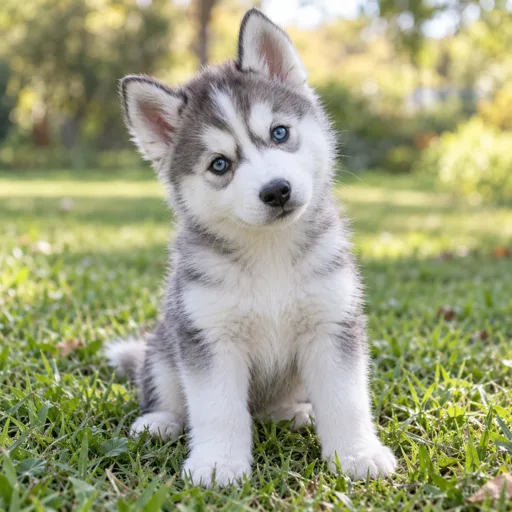
The AI rebuilds your pet from the photo, so give it a clear look at the face, ears and fur.
- One pet per photo. With two pets or a person in the shot, it is unclear who should be driving.
- Face the camera in even light, with the whole head in the frame.
- Pick a photo that shows the fur color and markings you want in the video.
- Avoid costumes, heavy filters, blurry screenshots and photos taken from far away.
- The template keeps the sunglasses, yellow jacket and gold chain; your photo supplies the pet’s appearance and fur markings.
Hit the Road Dude questions
What is the Hit the Road Dude meme?
Also known as the State Property or Private Property meme, it comes from a clip of a man in a pickup telling people fishing on private property to leave. This effect makes the pet version from one photo of your cat or dog.
How are the scene and sound made?
A fixed pet video template guides the scene, actions and English dialogue. AI generates the result using your pet photo and that reference. Voices, lip sync and details can vary; an exact copy of the reference is not guaranteed. TikTomato is not affiliated with the people in the original clip.
Can I change what my pet says?
No. This effect follows the template’s English dialogue; it does not support custom lines or a different spoken language.
Will it look like my pet?
The AI recreates your pet from the photo, so the breed, color and markings usually carry over while small details vary between runs. A clear, front-facing photo in good light gives the closest match. If it is off, try another photo or generate again.
Can I use a photo of a person instead?
This effect is built for cats and dogs, and a person photo tends to come out strange. The usual rules apply too: only upload photos you have the right to use, and no public figures or children.
What video do I get?
A widescreen (16:9) MP4 with sound, 5, 10 or 15 seconds long as you choose; 15 seconds is the full version. The aspect ratio is fixed. Videos stay in your recent videos for 30 days, so download any you want to keep.