选择版本和尺寸
选择 Flare 或 Sunburst,再设置分辨率和画幅。
 TikTomato
OpenAI 的图片生成与编辑模型,擅长照片级的光影质感和精准的局部修改。Flare 出图更快,Sunburst 用速度换细节。
以下均为 GPT Image 2.5 在 1K 档的真实输出,附实际使用的英文提示词和模型版本。复制后可以按自己的创意修改,每次生成的结果会有所不同。
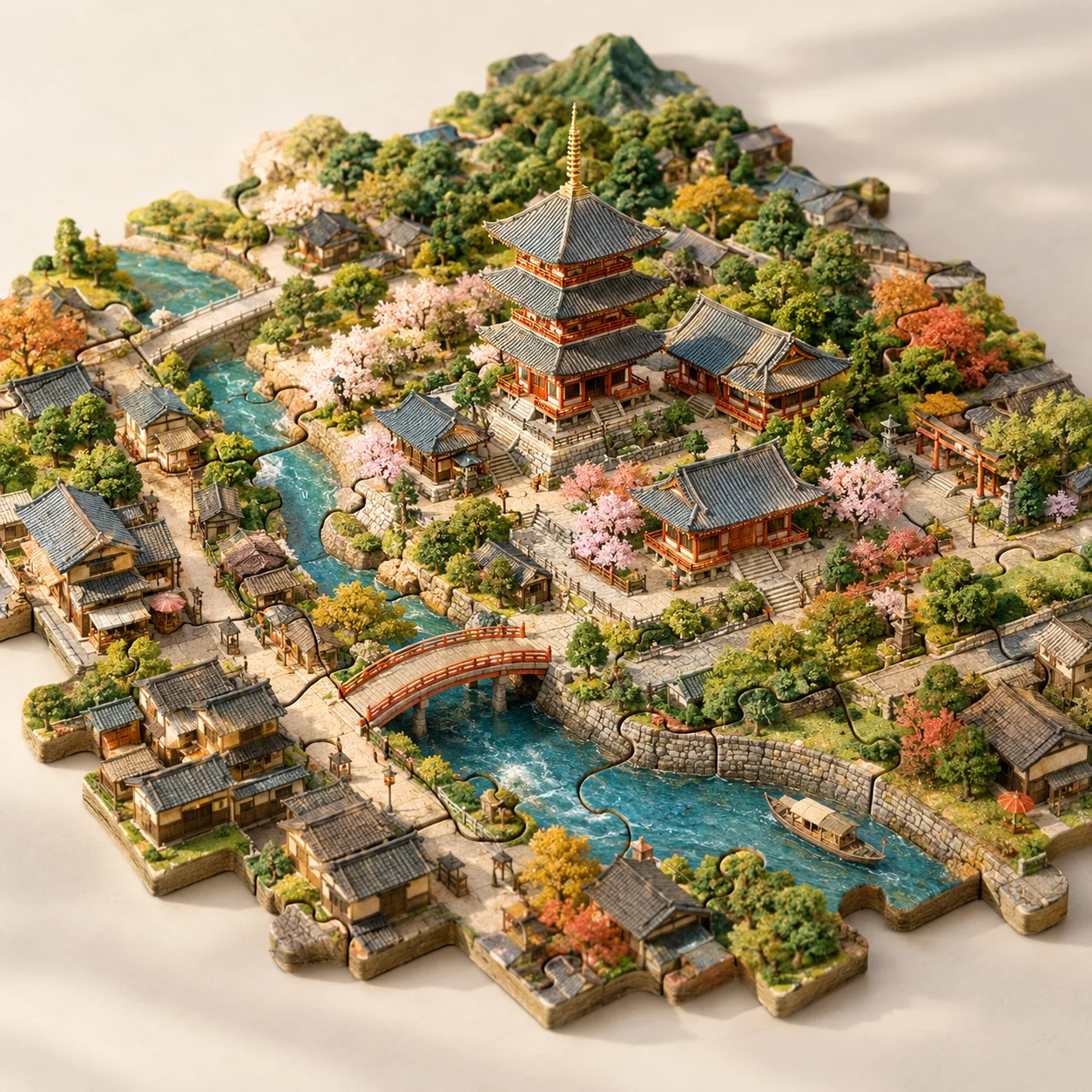
GPT Image 2.5 Flare · 1K · 1:1
写明材质、视角和拼图之间的关系,也可以换成自己的城市与地标。
Imagine Kyoto as a tabletop city assembled from interlocking jigsaw pieces. A recognizable temple forms the center, with miniature lanes, a river, bridges and trees distributed across neighboring pieces. Make the puzzle joints clearly visible while keeping all pieces part of one coherent landscape. Use handmade model textures, gentle afternoon light, a pale studio background and an elevated three-quarter view. No extra floating buildings or text.
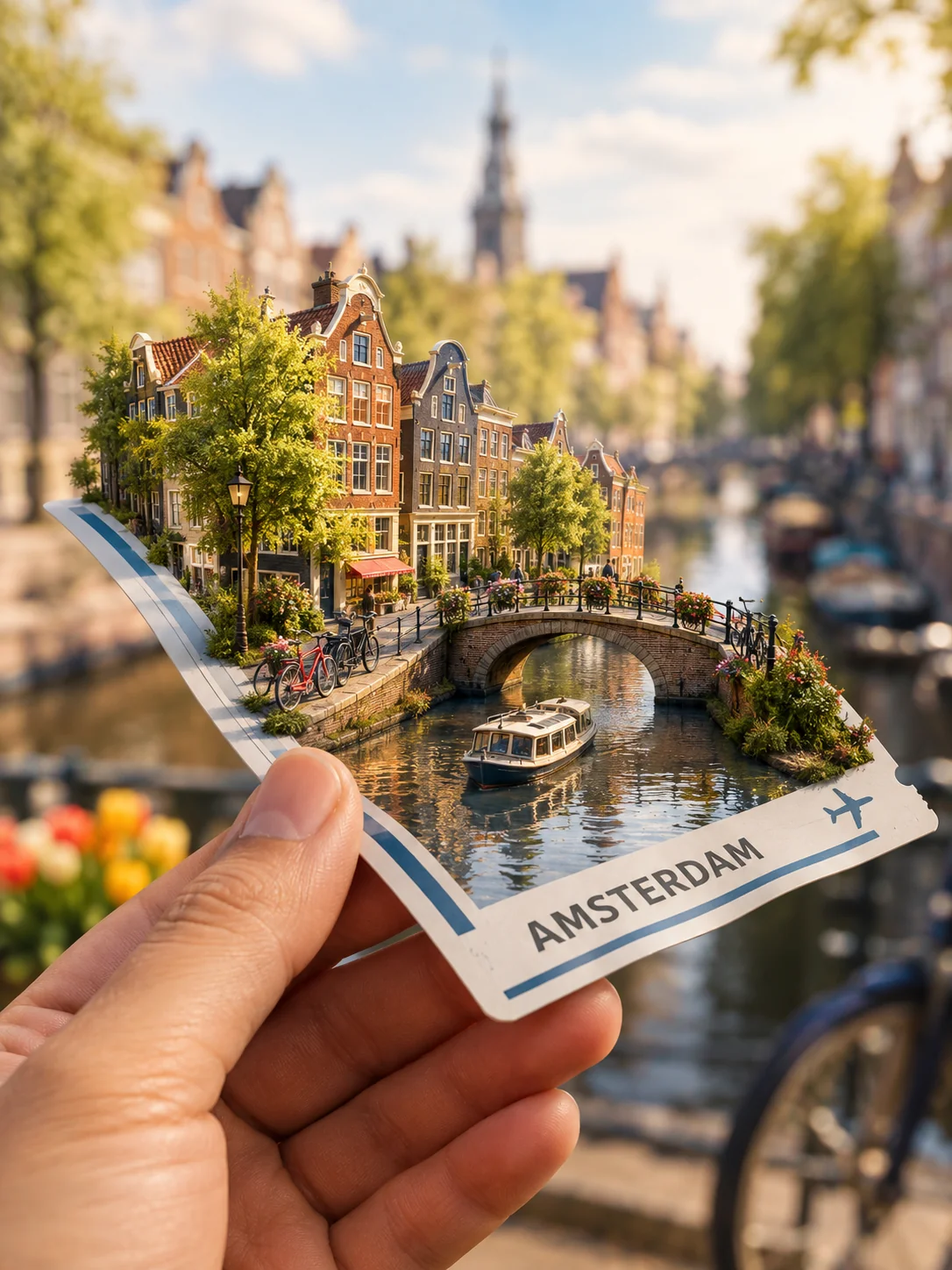
GPT Image 2.5 Sunburst · 1K · 3:4
让微缩城市落在熟悉的物件上,说明接触阴影和车票上的文字。
Show a hand holding a fictional travel ticket in the foreground. A miniature Amsterdam grows from the ticket's surface: a canal, narrow houses, tiny bicycles and a small bridge. Make the paper bend naturally under the little world, with convincing contact shadows and realistic fingers. Use a softly blurred travel background and warm daylight. The ticket may say AMSTERDAM but should contain no real booking data, barcode or extra fine print.
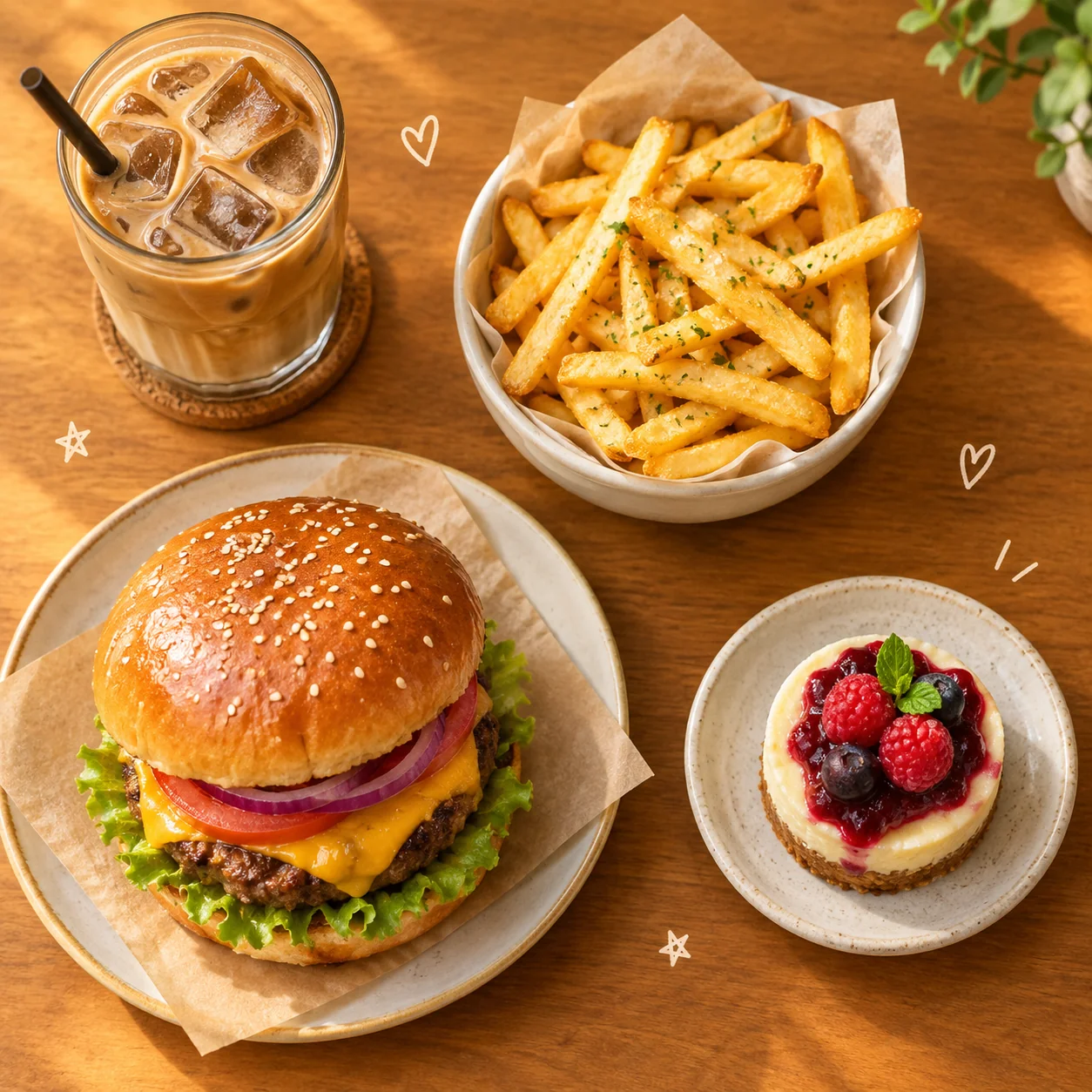
GPT Image 2.5 Flare · 1K · 1:1
让食物之间有清楚的间隔,留出添加小插画的空间;可以替换成自己的菜单。
Create a cozy overhead café collage featuring a burger, crisp fries, an iced coffee and a small dessert. Make the food photographic and appetizing, then add a few tiny hand-drawn hearts and stars in the empty spaces. Arrange the objects with clear separation on a warm tabletop. Use soft golden light, cheerful restrained colors and believable portions. Keep the composition readable as a square app thumbnail. No brand names, labels or watermarks.
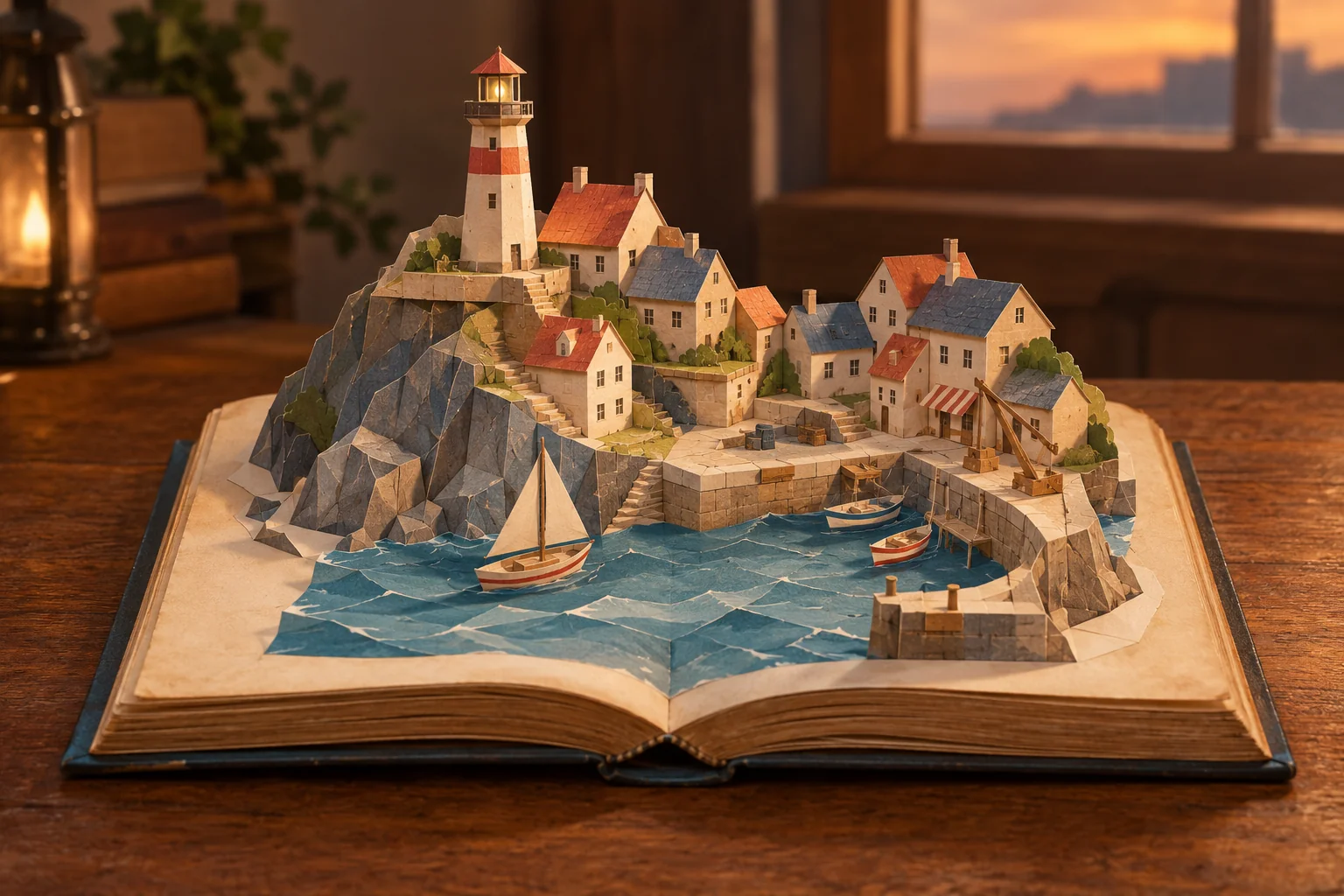
GPT Image 2.5 Sunburst · 1K · 3:2
写清材质和制作方式,例如纸张折痕、连接片和柔和阴影。替换小镇主题时,保留这些构造细节。
An open old storybook rests on a wooden table. From its pages rises a handmade pop-up model of a coastal town, with folded-paper rooftops, a lighthouse, steps and a tiny harbor. Show visible paper folds and tabs so the construction feels possible. Use soft evening light and a cozy, tactile color palette. Keep the open book and its complete silhouette inside the frame. No floating scenery outside the book and no readable story text.
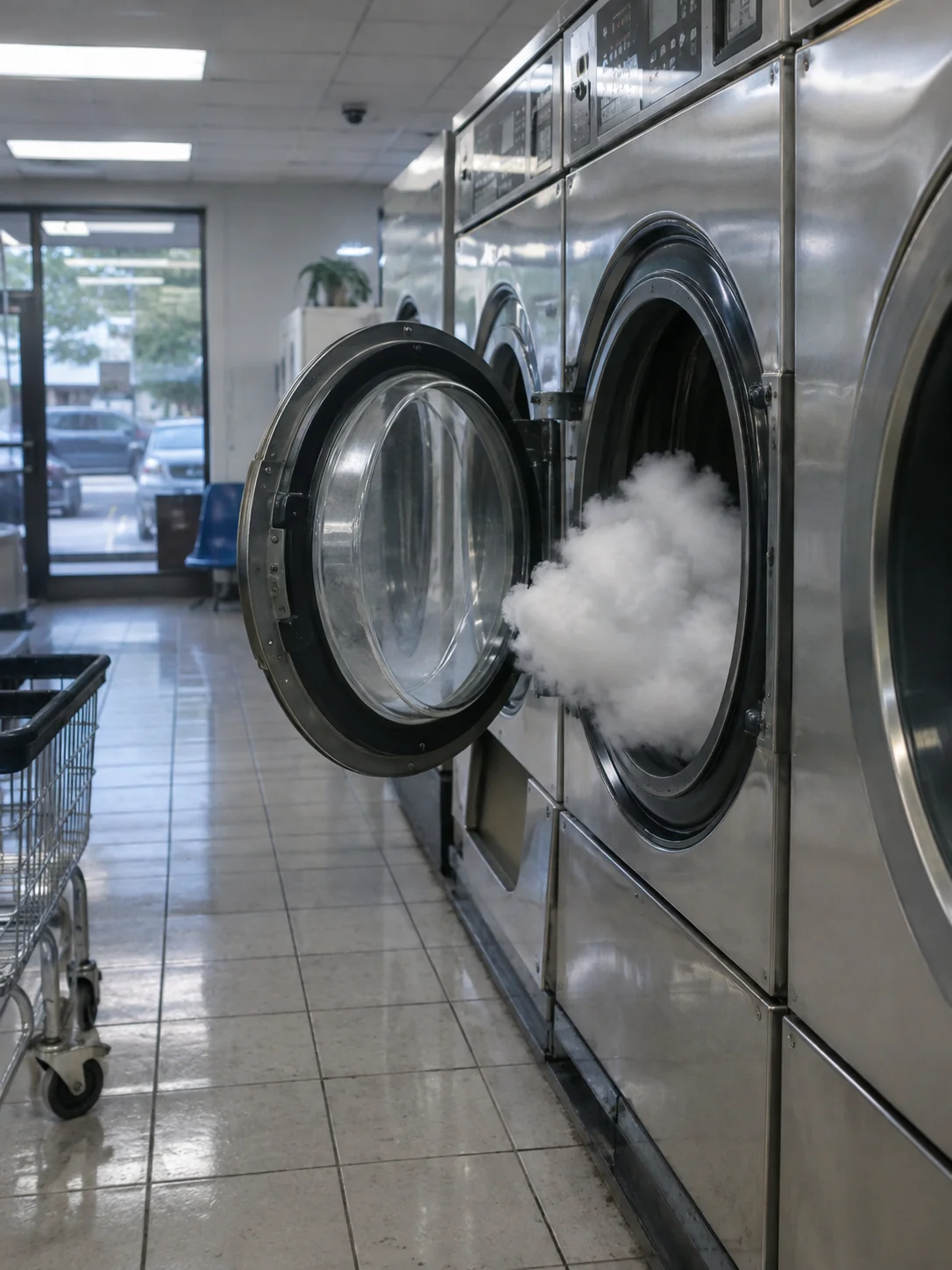
GPT Image 2.5 Sunburst · 1K · 3:4
把一个不可能的事物放进日常场景,再描述普通的光线和表面质感,让趣味画面看起来像真实照片。
Photograph an impossible but peaceful event as if it truly happened: a small cloud has drifted into a neighborhood laundromat and is quietly waiting inside an open washing machine. Render ordinary fluorescent lighting, slightly worn tiles, convincing reflections and a candid eye-level viewpoint. The impossible subject should belong naturally in this mundane setting. Keep the image photographic rather than illustrative. No signs, captions or visual effects.
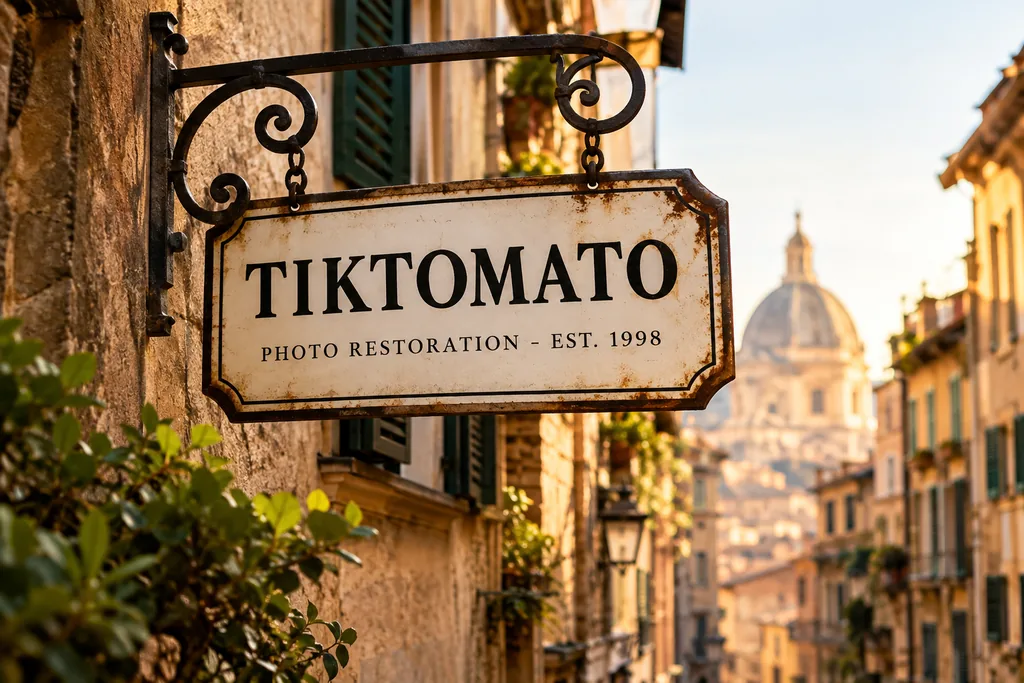
GPT Image 2.5 Flare · 1K · 3:2
用引号标出准确文字,并说明上下顺序。使用图片前逐字检查。
A vintage enamel shop sign hanging above a narrow European street. The sign reads "TIKTOMATO" on the first line and "PHOTO RESTORATION - EST. 1998" on the second line, in clean serif lettering. Warm late-afternoon sunlight, shallow depth of field, photorealistic.
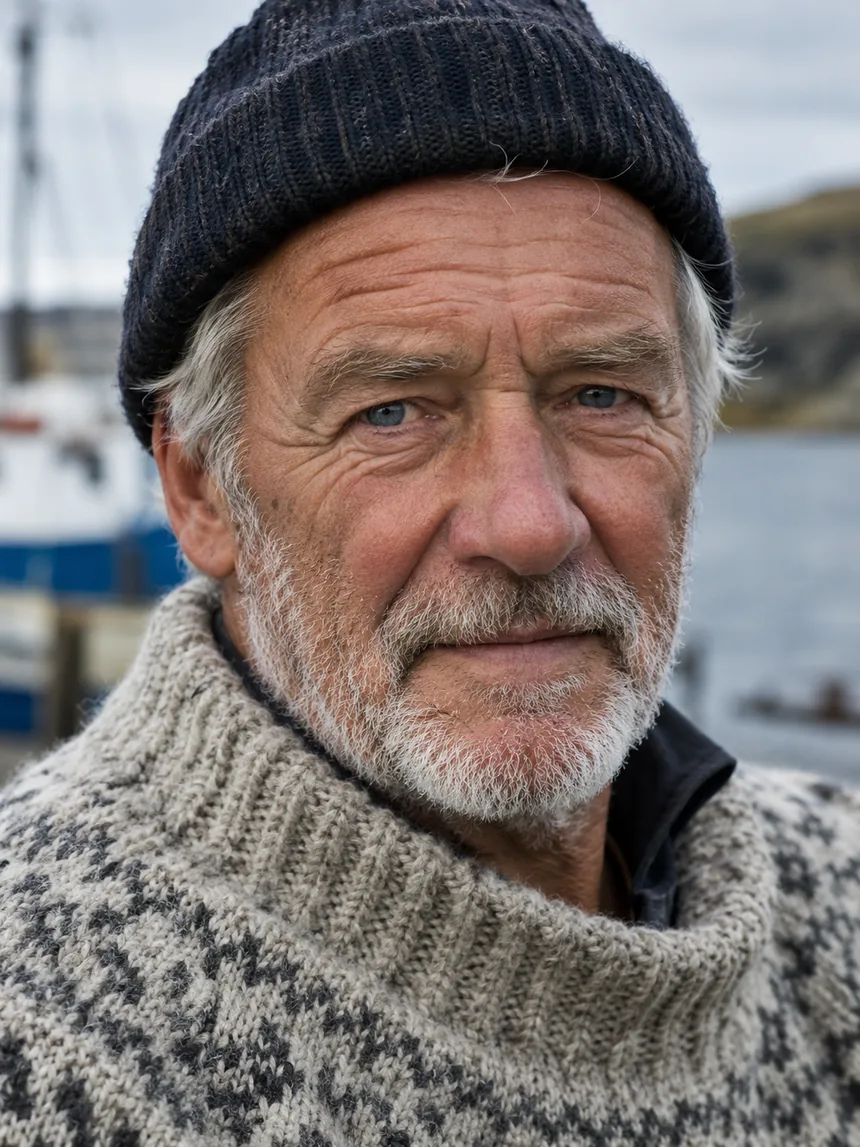
GPT Image 2.5 Flare · 1K · 3:4
描述光线、镜头和皮肤细节,比只说“写实人像”更具体。
Close-up portrait of an elderly fisherman with a weathered face and white stubble, wearing a hand-knitted wool sweater, soft overcast daylight, sharp focus on the eyes, natural skin texture with visible pores and fine wrinkles, shot on an 85mm lens.
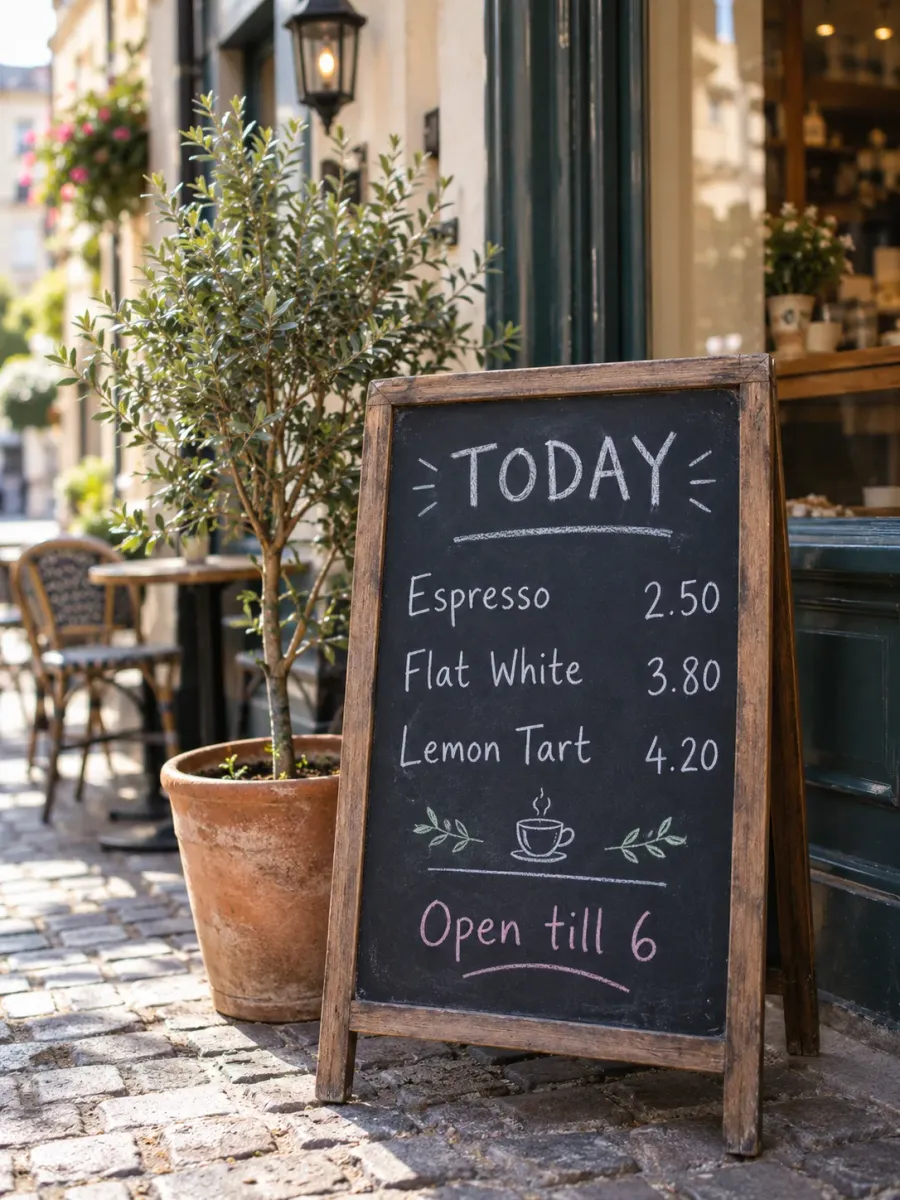
GPT Image 2.5 Sunburst · 1K · 3:4
逐行写出文字和位置,生成后核对拼写与价格。
A hand-lettered chalkboard menu standing outside a small cafe on a cobblestone street. The board reads, top to bottom: "TODAY" as the heading, then "Espresso 2.50", "Flat White 3.80", "Lemon Tart 4.20", and at the bottom "Open till 6". White and pastel chalk, slightly imperfect handwriting, a potted olive tree beside it, soft morning light, photorealistic, shallow depth of field.
选择 Flare 或 Sunburst,再设置分辨率和画幅。
自己写提示词,或复制下方案例。编辑图片时,添加参考图,说清楚要改什么、保留什么。
登录后查看按钮上的积分费用,再点击生成。下载结果,或修改提示词继续尝试。
GPT Image 2.5 是 OpenAI 于 2026 年 9 月 8 日发布的图片生成与编辑模型,是 GPT Image 2 的下一代。它在 ChatGPT 里叫 ChatGPT Images 2.5,开发者通过 OpenAI API 调用。
它有两个版本:Flare 是 OpenAI 面向日常高质量出图的快速版本;Sunburst 生成更慢,换来细节创作和编辑上更高的精度。这一页两个版本都可以选,价格相同。
以下是 OpenAI 列出的、相对 GPT Image 2 的改进。
光线更自然,皮肤、织物、金属等表面的质感更丰富,适合写实人像和产品图。
添加参考图后,图里的人物、产品或物件更容易认出来,它们的特征也更容易保留到结果里。
更准确地执行修改指令,多次修改之间细节保持一致,改一处时不容易把别处也带变。
OpenAI 称信息图的准确度和排版有所提升,做海报、图解这类文字加结构的图时更有帮助。
整理自 OpenAI 的图片提示词指南。
开头写主体和图的用途,比如产品照、海报、图解,再补充细节。
必须出现在图上的文字放进引号,并说明放在哪里。少见的品牌名可以逐个字母拼出来,出图后记得核对拼写。
只写一处要改的地方,再列出必须保持不变的部分,比如脸、光线、产品标签。用了多张参考图时,说明每张分别做什么用。
改一处、看结果、再改下一处。每次都把关键细节重新写一遍,不要只写“和之前一样”。
可以。描述主体、材质、光线和构图的自然语言提示词,通常可以作为两个版本的起点。本页的立体书案例就改编自为 GPT Image 2 收集的创意,并用 GPT Image 2.5 Sunburst 重新生成。结果可能不同,需要检查并调整提示词;新版本并不保证每个创意都生成得更好。
两个都有。在提示词上方的「版本」里选:Flare 是 OpenAI 面向日常出图的快速版本,Sunburst 是精度更高的版本。在这里两者价格相同,默认选中 Flare。
不需要。用 Google 或 Apple 登录即可,新账号送免费积分。不用安装,也不用管理 API Key。
OpenAI 称光影、质感、参考图还原和编辑能力有所改进,实际效果因提示词而异。本页可选择 Flare 或 Sunburst,所有分辨率均使用 GPT Image 2.5。
1K、2K、4K 由你选。1K 下 3:4 的图是 1086x1448 像素。
时间随负载和所选尺寸波动,尺寸越大越久。生成期间可以离开页面,结果会保留在最近生成的图片里。
可以。添加最多 4 张参考图,描述要改什么,也写上哪些要保持不变。保留参考图里的主体,正是 GPT Image 2.5 的改进之一。
本页 1K 与通用图片生成页同价,2K 和 4K 的积分不同。具体积分显示在生成按钮上,切换分辨率时会更新。
GPT Image 2.5 遵守 OpenAI 的使用政策,色情、血腥暴力、以假乱真的真人图片这类请求会被拒绝。可以改一下提示词再试;被拒绝或生成失败的请求,积分会退回。